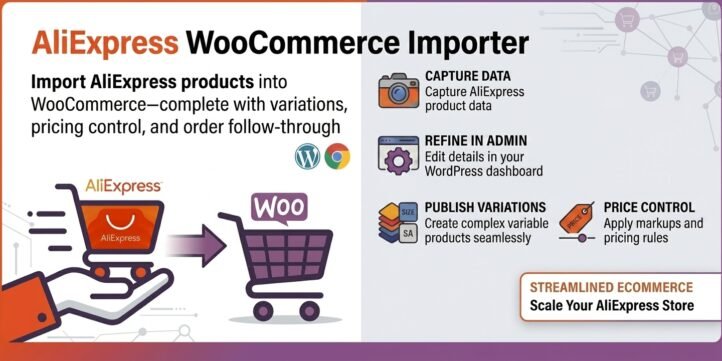
Import AliExpress products into WooCommerce—complete with variations, pricing control, and order follow-through
AliExpress WooCommerce Importer is a WordPress plugin (with a companion Chrome extension) built for that full path: capture product data from AliExpress, refine it in your admin, publish it as a proper WooCommerce variable product, then with free plugins to support semi-automated fulfillment and shipment notifications.
Running a WooCommerce store with AliExpress as a product source sounds simple until you try to do it at scale. Copying titles by hand breaks formatting. Image galleries take forever. Color, size, and shipping-origin combinations explode into hundreds of variations. Prices need markup. Orders still have to be matched back to the right AliExpress SKU.
What problem it solves
Most “import” tools stop at a partial catalog dump. Sellers still spend hours fixing attributes, rebuilding variations, or reconciling orders. AliExpress WooCommerce Importer focuses on the operational chain store owners actually need:
- Capture structured product data from an AliExpress product page
- Review and edit titles, descriptions, images, attributes, and variations
- Adjust pricing with a simple linear formula before publish
- Publish to WooCommerce as variable products (or export CSV)
The result is less manual copy-paste and fewer broken variation matrices.
Who it is for
- WooCommerce merchants who source products from AliExpress
- Dropshippers and resellers who need reliable variation import
- Store owners testing new products quickly before investing in inventory
- Teams that already use WooCommerce and want a clearer AliExpress workflow
If your storefront is WooCommerce and your catalog often starts on AliExpress, the product name and workflow are intentionally aligned with how people search and how they work.
Key capabilities
1. Chrome extension capture from the product page
On an AliExpress product detail page, the extension captures the key product payload (product ID, title, pricing signals, media, attributes, and SKU combinations) and sends it to your WordPress site through a secured REST endpoint. That is faster and more complete than rebuilding a listing from screenshots and manual typing.
2. Centralized import inbox in WordPress
Imported items appear in the AliExpress Importer admin area. From one list you can preview, edit, export CSV, publish to WooCommerce, or open a record for deeper cleanup. Each item is stored as a structured product object so you can revise it without starting over.
3. Variation-aware import for real AliExpress catalogs
AliExpress listings are rarely simple single-SKU products. They may include Color, Size, Ships From, Voltage, Density, and other attributes. The importer is designed to work with dynamic attribute sets—not only Color and Size—and to publish them into WooCommerce variable products with associated variations.
This matters because incomplete attribute mapping is exactly where many imports fail: the parent product exists, but variations show as “Any Color” / “Any Size,” or large numbers of combinations never appear. AliExpress WooCommerce Importer is built around getting those relationships into WooCommerce in a usable form.
4. Description and image review before you go live
Product descriptions from marketplaces are often HTML-heavy. In the editor you can review the raw HTML and preview a rendered version closer to what shoppers will see. Images can be managed as one URL per line with thumbnail previews, so you can spot missing or duplicate media before publish.
5. Spreadsheet-style variation editing
Instead of forcing every change through raw JSON, variations can be reviewed in a table: SKU, sale price, regular price, stock, attributes, and image URL. You can add, edit, or delete rows, then save the product object. That makes large variation sets practical to audit.
6. Linear pricing controls on the edit screen
Before publishing, you can apply a simple markup model directly on the product edit page:
- Sale price:
- Regular price:
Enter coefficients , , , and , confirm, and update all related price fields in bulk. When , , , and , values stay unchanged. This is useful for margin targets, fixed handling fees, or campaign pricing without editing hundreds of rows one by one.
7. One-click publish to WooCommerce
When the listing looks right, publish it into WooCommerce as a variable product, including attributes, variations, pricing, stock handling, and image sideloading flow. For teams that still prefer the native importer, CSV export remains available so you can keep your existing QA process.
8. Settings, access token, and licensing workflow
For operational use, the plugin includes settings for the import endpoint token used by the Chrome extension, plus a license activation flow for authorized installs. That keeps the connection between browser capture and your store under your control.
Recommended workflow
- Find a product on AliExpress
- Capture it with the Chrome extension and send it to WordPress
- Open the item in AliExpress WooCommerce Importer
- Check title, description, images, attributes, and variations
- Apply pricing coefficients if you need markup
- Save the product object
- Publish to WooCommerce (or export CSV)
This sequence matches how serious small teams actually operate: human review where quality matters, automation where repetition wastes time.
Demo Video
Why AliExpress WooCommerce Importer matters
Most WooCommerce store owners who source from AliExpress face the same hidden costs:
- Manually copying titles, descriptions, and images is slow and error-prone.
- Real AliExpress products have complex variations (Color + Size + Ships From + other attributes). Most importers break these into incomplete or unusable variation matrices.
- Pricing needs consistent markup, but editing hundreds of variations one by one is impractical.
- After the product is live, orders still need to be matched back to the correct AliExpress SKU, and customers expect tracking updates.
AliExpress WooCommerce Importer addresses the full operational chain instead of stopping at a partial catalog dump:
- Structured capture via Chrome extension — pulls complete product data (including dynamic attributes and SKUs) directly from the AliExpress page.
- Editable intermediate state — review and clean titles, HTML descriptions, images, and variations in a spreadsheet-style interface before anything goes live.
- Linear pricing controls — apply simple markup formulas across all variations in one step.
- Proper variable product publishing — creates usable WooCommerce variable products with correctly mapped attributes and variations.
- Free bonus: Order fulfillment & tracking — continues after the sale by helping match orders to AliExpress SKUs and supporting customer shipment notifications.
The real value
It reduces the time and error cost of the hundredth product, not just the first one. For dropshippers, resellers, and small teams testing new items, this means faster sourcing without sacrificing listing quality or creating broken variation matrices that confuse customers and hurt conversion.
In short: it turns the messy, repetitive work of moving AliExpress products into WooCommerce into a repeatable, reviewable workflow — from capture → clean → price → publish → fulfill — so store owners can focus on selling instead of fixing imports.
Practical advantages
- Structured capture instead of fragile copy-paste
- Variation-first design for real marketplace catalogs
- Editable intermediate state before products go live
- Pricing formula for consistent markup
- Publish or CSV depending on your QA preference
- Order-side tools that continue past catalog import
- Customer messaging when shipment tracking appears
Together these reduce the hidden cost of AliExpress-sourced catalogs: not the first listing, but the hundredth.
What it is not
It is not a promise that every AliExpress seller will ship instantly, or that tracking always exists at purchase time. It is not a replacement for store policy, product compliance, or customer service judgment. It is a workflow product: it helps you move accurate catalog data into WooCommerce and handle the repeatable parts of fulfillment communication with less friction.
Conclusion
AliExpress WooCommerce Importer helps WooCommerce merchants turn AliExpress product pages into sellable, variation-aware store listings—and keeps the process going after checkout with practical fulfillment and tracking notification support. If your growth depends on sourcing speed without sacrificing listing quality, this is the straightforward toolset behind that goal: capture, clean, price, publish, fulfill, and inform.
per year
Bonus – Free Order Fulfillment & Tracking
As a free bonus, AliExpress WooCommerce Importer includes practical order fulfillment and tracking support at no extra cost. After products are published and orders come in, you can:
- Match WooCommerce orders to the corresponding AliExpress SKUs
- Use semi-automated fulfillment tools to reduce manual order processing
- Send customer notifications when shipment tracking numbers become available
This extends the workflow beyond catalog import, helping you handle the repeatable post-purchase steps with less friction—completely free with the plugin.